Agent vs. chat
A standard chat model answers from training memory. An agent interacts with a live computing environment to inspect files, execute code, and produce verifiable artifacts.
Most researchers first encounter artificial intelligence through conversational chat interfaces: you provide a prompt, and the model generates a response based on patterns learned during training. A coding agent connects that same underlying language model to an execution environment, such as a local terminal, filesystem, and external tools. This operational interface fundamentally transforms both what tasks you can delegate and how you must evaluate the results. Search, chat, and agents form a progression: at each step the machine takes over more of the work.
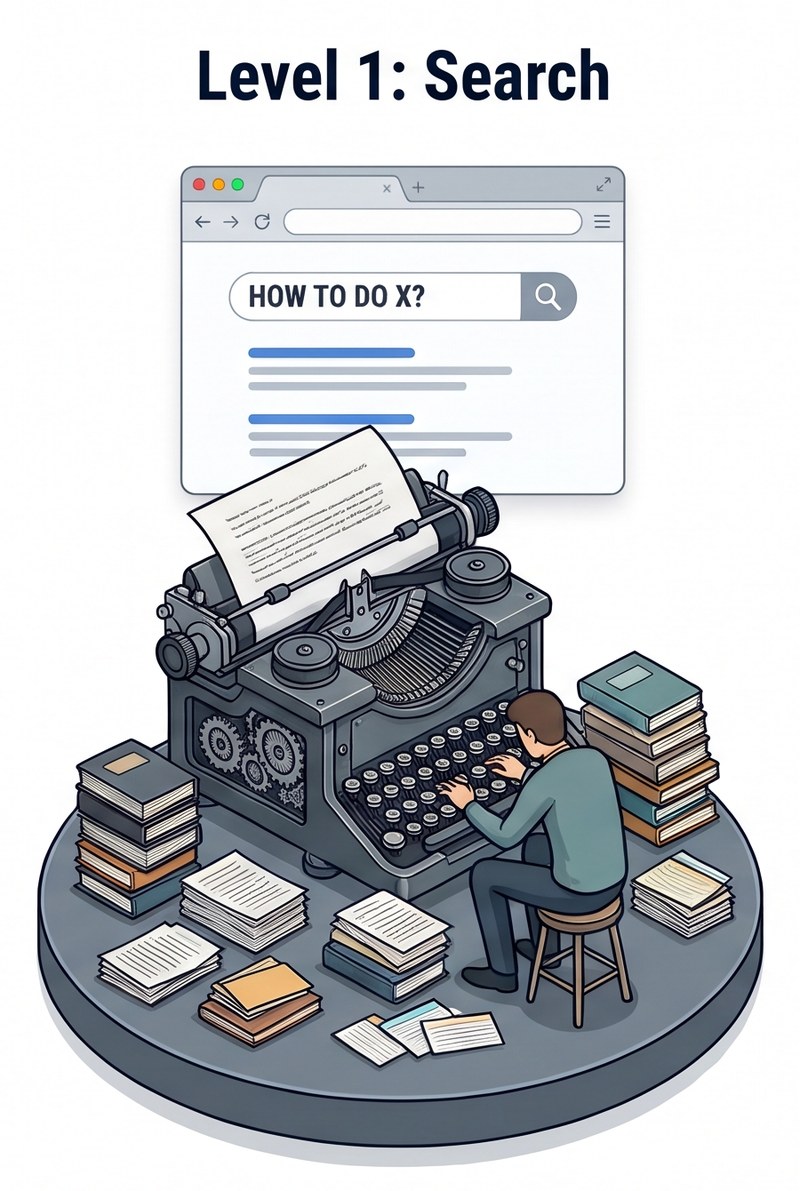
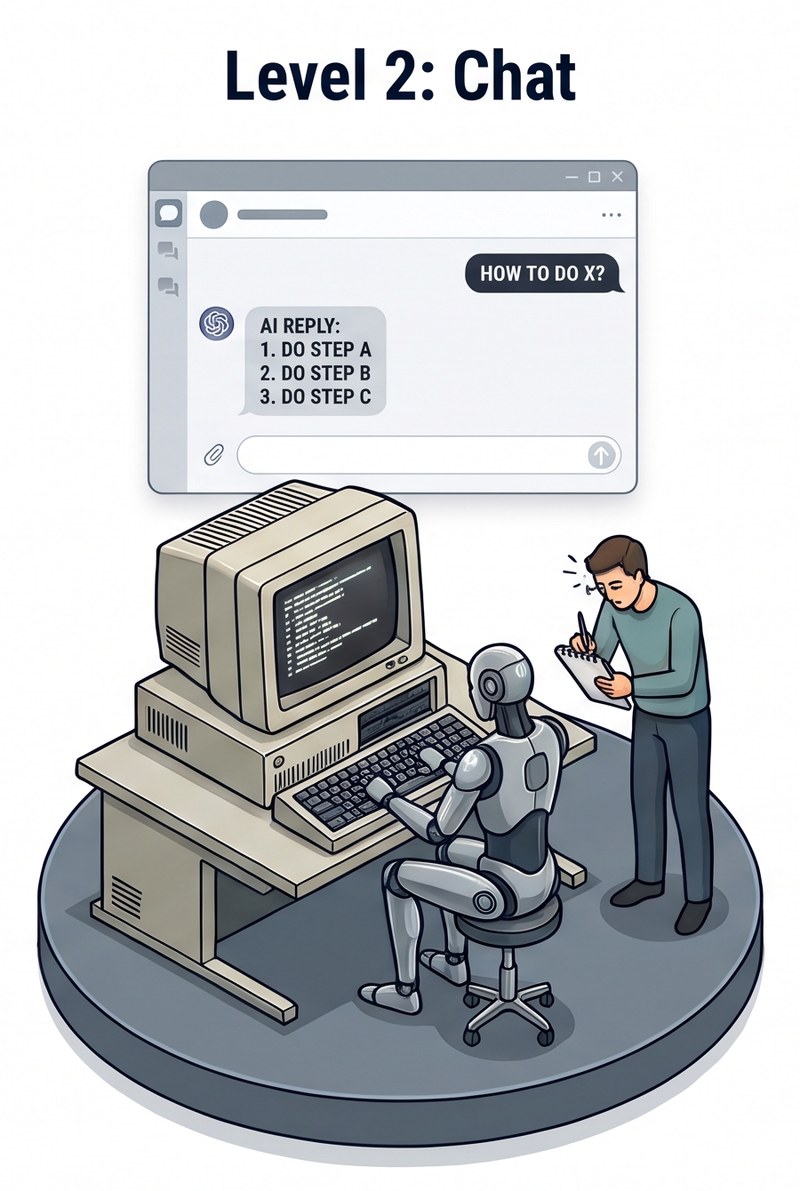
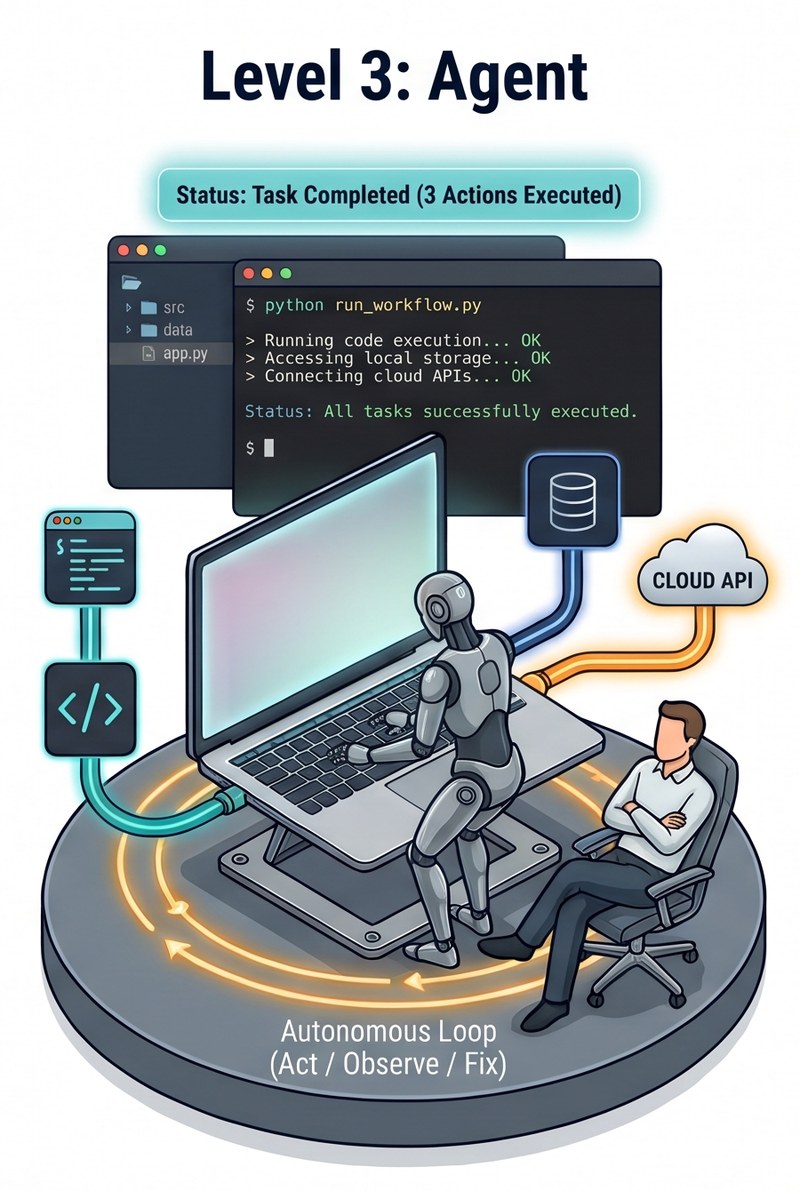
From search to chat to agent
Each stage changes who does the work. In computing terms, a chat model is an isolated processor with a text buffer: prompt tokens go in, reply tokens come out, and nothing else is connected. An agent connects the same processor to peripherals: a file system, a terminal or code runtime, web and API access, and memory in the form of session context.
- Search finds sources. You read them, combine what they say, and do the work yourself.
- Chat writes the answer. The model combines the information, but its reply is text. You copy it out, run it, and report back what happened.
- Agent acts on the answer. It runs the steps, reads what happens, and corrects course. You set the goal and review the result.
The output differs as well. A chat reply is always text. An agent's output is a changed state of your project, such as a file written, a table generated, or a script that ran, along with a log of how it got there.
| Search | Chat | Agent | |
|---|---|---|---|
| Combines the information | You | The model | The model |
| Carries out the steps | You | You (copy, paste, run) | The agent, through its harness |
| Can reach | Indexed documents | Pre-training data plus text you paste in | Pre-training data plus local files, databases, APIs, the web, and the shell |
| Output | Links and documents | Text | Files, results, and execution logs |
| Audit trail | Your own notes | Unverifiable claims; check by hand | Inspectable scripts, logs, and output datasets |
| Primary risk | Missing or misreading sources | Confident but inaccurate answers | Inaccurate answers plus unintended changes to files or system state |
| Best suited for | Locating sources | Explanations, brainstorming, text editing | Multi-step analyses, data pipelines, reproducible modeling |
The same request, two ways
Suppose you ask: "Check the distribution of baseline variables and calculate summary tables."
- In chat, you describe the dataset in words and the model writes a script from memory. If the script has a typo, or your file has an unexpected column format, neither of you knows until you copy the code into your editor and run it. If it crashes, you paste the error back and start over. The exchange is closed-book and disconnected from your files.
- With an agent, the model opens the data file, reads the column headers, drafts a Python script, and runs it. When it hits a formatting error, it adjusts the parsing logic and reruns, checks that the table rendered properly, and hands you the table together with the terminal log.
How an agent works
In everyday conversation, "agency" implies intent or free will. Here it has a practical meaning rooted in choice and navigation:
A chat model has one path. Token generation proceeds along a single forward track until it emits a stop token. The model cannot pause to consult an external resource or check a claim against your files.
An agent has choices. Equipped with tools, it decides how to navigate your environment, and the path is not predetermined.
The model outputs structured tool calls or shell commands. An orchestrating program called the harness runs them in the local environment and returns the console output to the model as context. Through this single feedback mechanism, the agent can use virtually any tool or service available from the command line (What code makes possible).
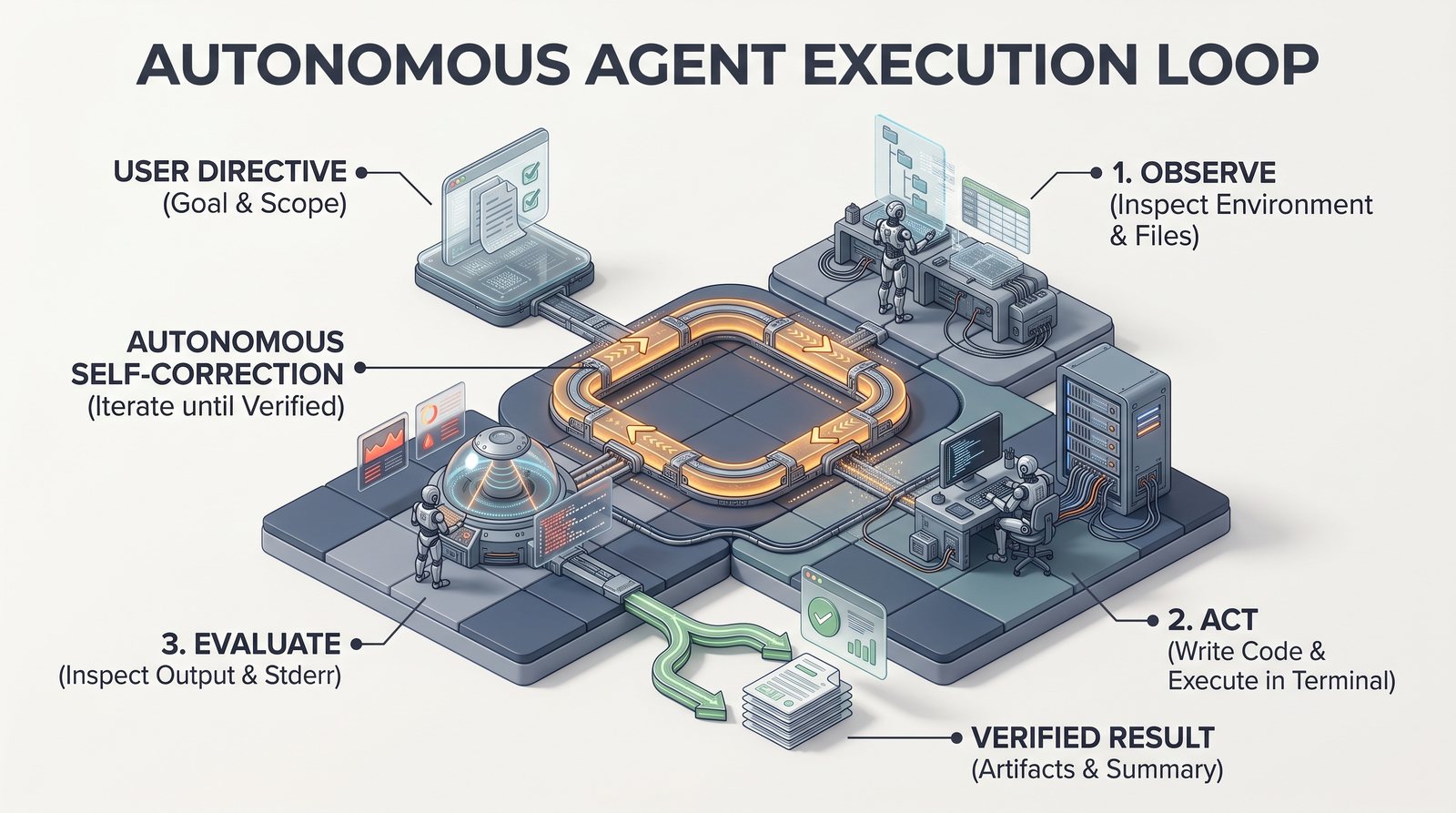
Rather than generating a whole solution in one pass, the agent works in a loop, making a choice at each step:
- Observe: Choose where to look. Inspect the directory tree, read a configuration file, or examine the top rows of a data table.
- Act: Choose which tool to use. Write code, dispatch a shell command, run a test, query an API, or search documentation.
- Evaluate: Read stdout, stderr, and any generated files.
- Refine: Diagnose errors or unexpected values, choose an alternate path, and repeat until the objective is met.
This loop has two predictable consequences:
- Self-correction: When a script fails or a column is missing, the agent reads the traceback, updates the code, and reruns it, delivering working programs rather than plausible pseudocode.
- Context and cost accumulation: Every iteration appends tool calls and console output to the session history (Context), so long debugging loops increase latency and token consumption (Costs).
This agency is delegated and bounded: you define the objective, set the operating constraints, and decide how much supervisory control to retain.
Choosing between chat and agents
- Use conversational chat for conceptual questions, literature brainstorming, or editing brief text excerpts. Chat requires minimal setup and introduces zero risk to local files.
- Use search when you only need to locate a source or document, which you will then read yourself.
- Use a coding agent when the workflow requires manipulating local datasets, executing multi-stage scripts, generating reproducible figures, or auditing data transformations across files.
Foundational limits
A coding agent remains an autoregressive language model. It can misinterpret file schemas, introduce subtle statistical errors, or prematurely declare that a task is finished. The crucial difference is that an agent leaves a concrete computational audit trail of scripts, execution logs, and generated tables, enabling researchers to independently verify every step (Verification).
The spectrum of agency
In practice, the boundary between chat and agents is a spectrum of navigational freedom (the tools, APIs, and file access granted to the model) and delegated authority (whether commands run automatically or require human approval). As autonomy increases, establishing clear steering boundaries and environment sandboxing becomes essential.
Next step: seeing environmental grounding in practice
To see tool-mediated navigation and environmental grounding in action, the first practical step is to launch your agent in a project directory and have it explore the workspace. In the next exercise, Orient the agent in a folder, you will witness how an agent actively navigates reality rather than guessing from training memory.
Try it
- Orient the agent in a folder. Direct the agent to audit local project files, establishing environmental grounding and identifying files requiring specialized parsers.
Related
What code makes possible · Harnesses and models · Verification